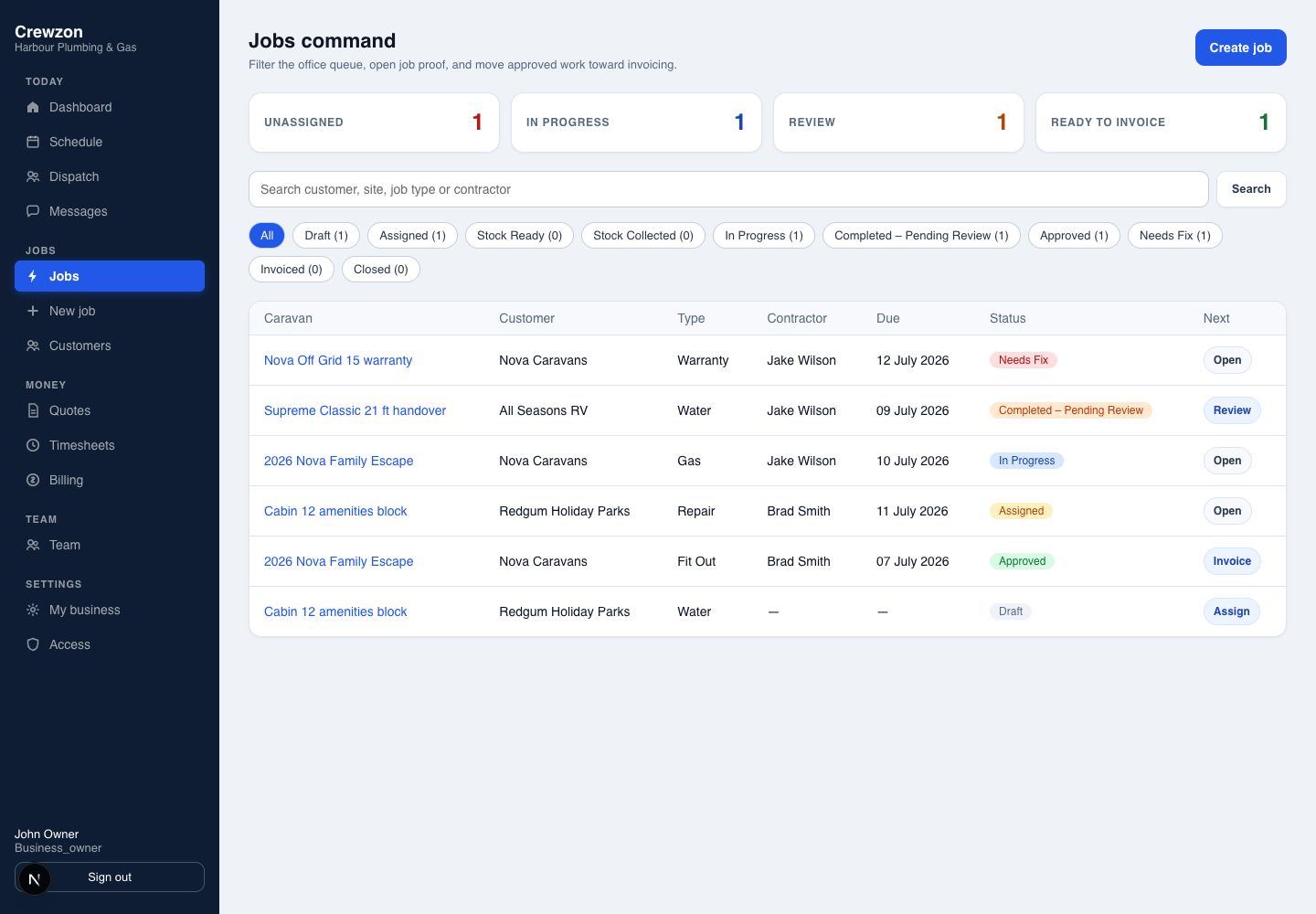
See what needs attention
Owners see the whole job pipeline, review queue and invoice-ready work from the office.
 View full-size screenshot ↗
Customers, quotes, schedules and invoices—all in one place.
Keep the customer, property, enquiry and quote together.
Turn approved work into a booking and assign your crew.
Record checklists, photos, time and extra work in the field app.
Prepare a GST invoice, collect payment and connect your accounting package.
Build repeat work into your day with recurring maintenance.
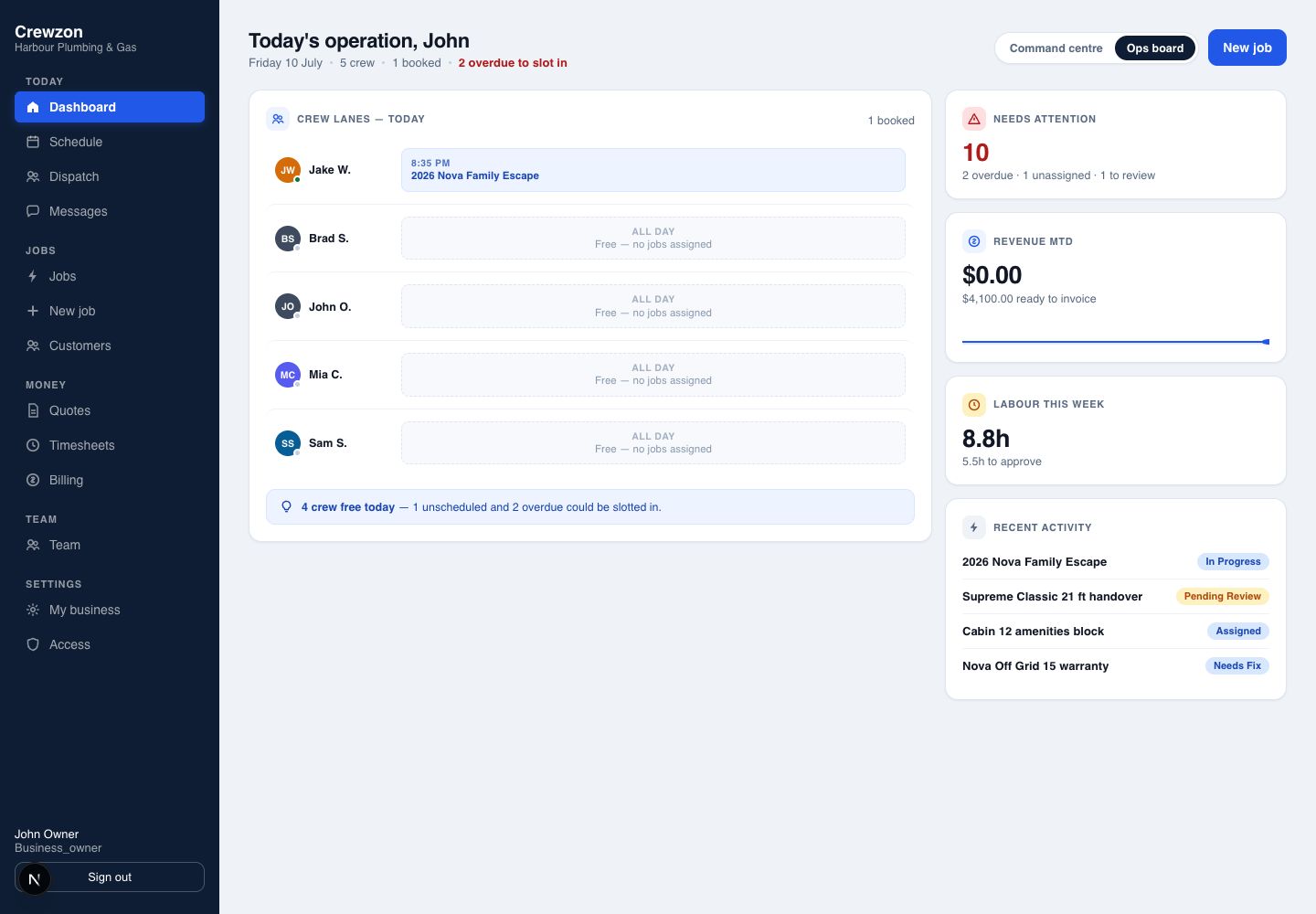
Crewzon keeps scheduling, dispatch, field checklists and timesheets in one place. See how the office and field stay connected throughout the day. Screens show example workspaces.
Owners see the whole job pipeline, review queue and invoice-ready work from the office.
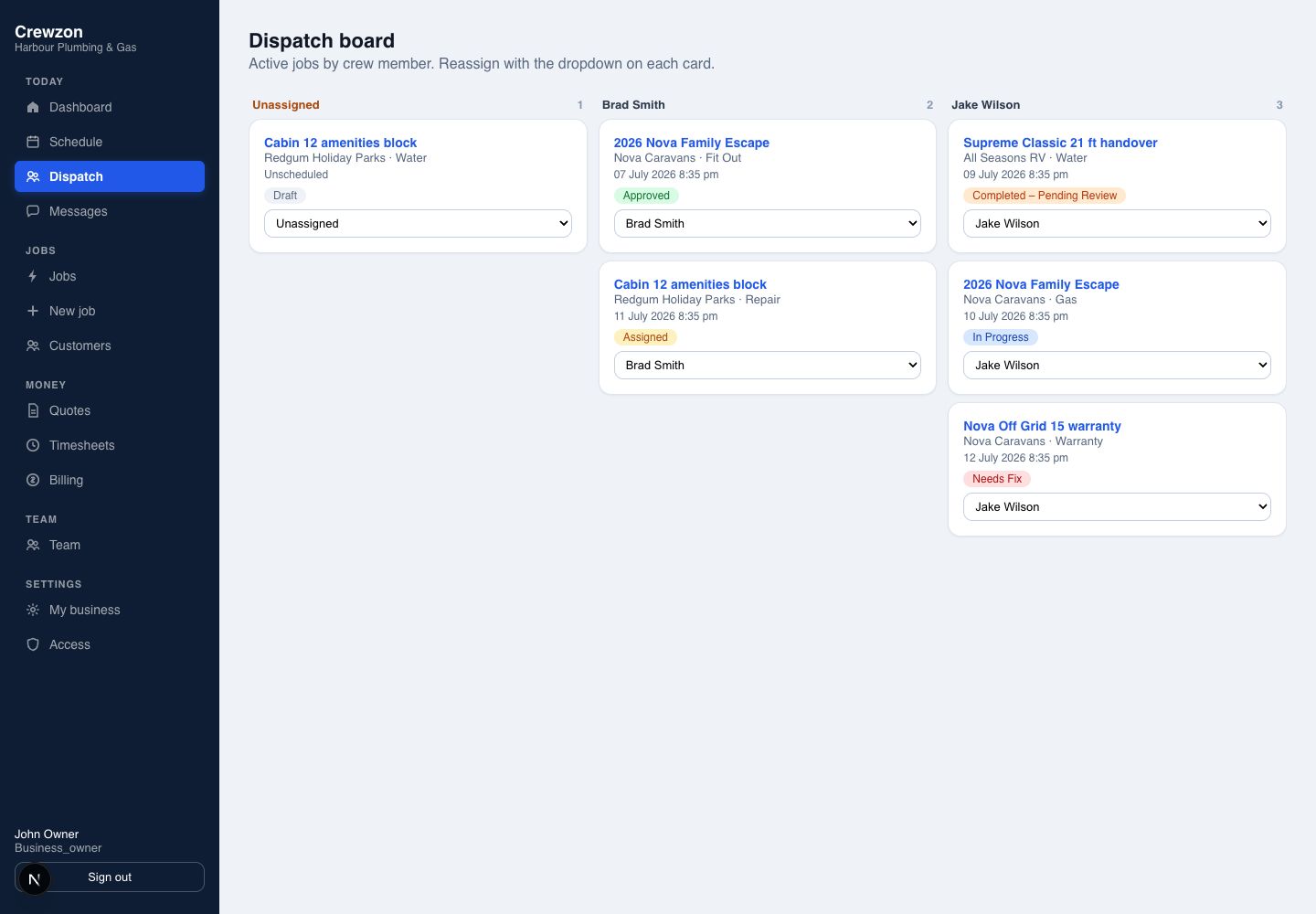
View full-size screenshot ↗Managers assign and rebalance work by person without losing job status or due-date context.
 View full-size screenshot ↗
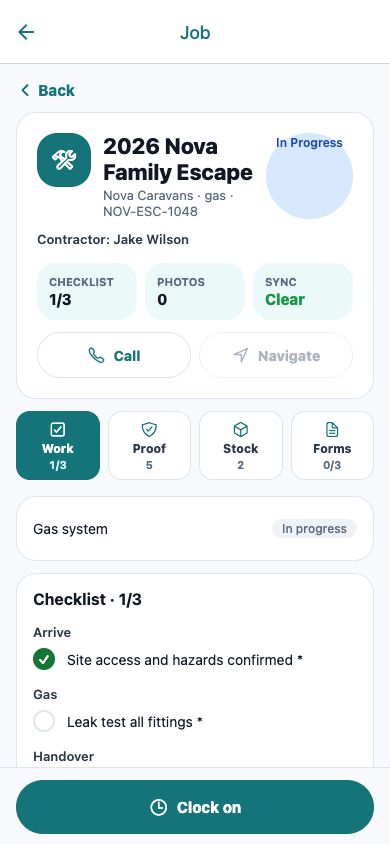
Field staff can see scheduled jobs, check job details and call the customer.
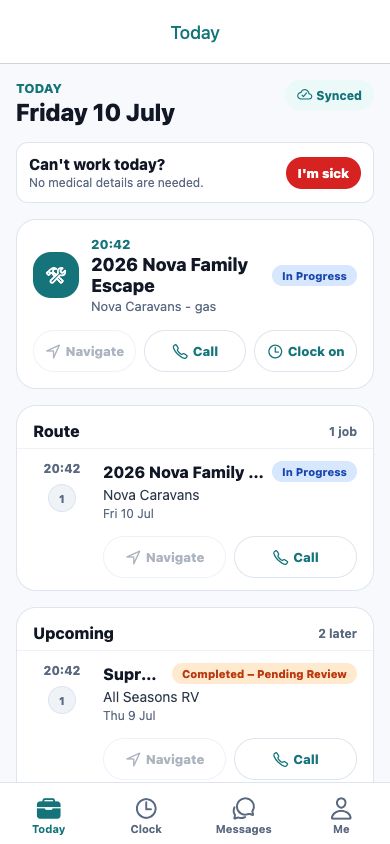 View full-size screenshot ↗
Clock-in, travel and break modes keep timesheets useful without adding office admin.
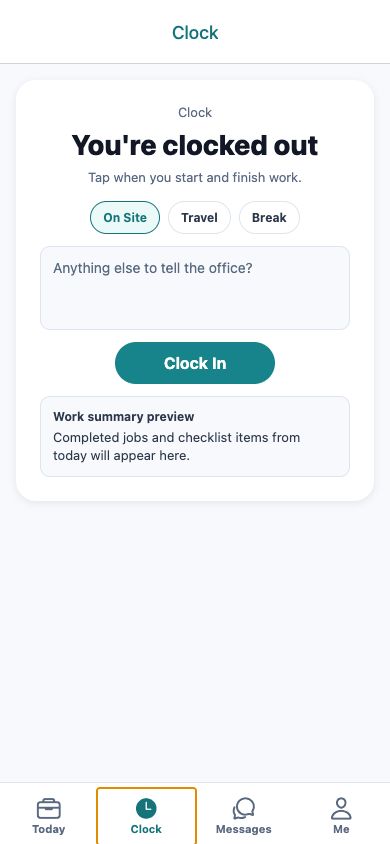 View full-size screenshot ↗
Keep repeat work, customer updates, payments and accounting connected to the jobs your team does every day.
Connect your accounting package to your job and invoicing workflow. Choose Xero, MYOB or QuickBooks on every plan.
Plan repeat visits from job templates, with upcoming work and exceptions visible to the office.
See jobs on the My Day map, order the day’s visits and open navigation in your phone’s maps app.
Booking confirmations, reminders and traffic-aware arrival updates by transactional SMS.
Relevant updates with delivery handling and quiet-hour controls.
Collect invoice payments through Stripe Connect, with payment status alongside the work.
From working solo to coordinating a larger crew. Choose your billing period, then calculate the price for your team.
Count the people who need their own Crewzon login, including you. Customer portal access is separate from your team’s seats.
Start with a 21-day free trial once your workspace is ready. Choose a plan before the trial ends to receive seven extra days before your first charge.
Talk to us about the right setup for your organisation.
Prices include GST. are A$9.00 AUD monthly or A$90.00 AUD annually.
Plan-dependent features. Dispatch, stock and reporting start with Team.
What’s next for Crewzon. These features are not available yet.
Share your business details and we’ll email you with the next steps. We review each application before opening workspace access. If you have questions first, talk to us.
The 21-day free trial gives you time to try Crewzon. Select a plan before the 21-day trial ends and receive the one-time 7-day conversion extension, taking the first charge to day 28. Workspace access is confirmed during onboarding.
Crewzon has a web app for the office and field apps for iOS and Android. Access and installation details are provided during onboarding. Features vary by device and role.
The field app supports offline work for supported job actions and syncs when a connection returns. Sign-in, payments and provider connections need internet access. Check the app’s sync status before leaving a job.
Connect to Xero, MYOB or QuickBooks on every plan. PDF and CSV exports are also available. Contact us to confirm the supported product and sync coverage for your accounting setup.
Collect customer payments through Stripe Connect and send booking reminders and arrival updates by SMS. Processing and messaging charges may apply; confirm the terms for your setup before use.
Email support@crewzon.com for help with setup or using Crewzon.
Bring your customers, crew and jobs together. Get started with Crewzon and keep the next job moving.
Get started