
Skip to contentCrewzon
One connected working day

Less chasing.
More getting the job done.

From the first call to the paid invoice, keep your customers, crew and work together. In the office. On site. Wherever the day takes you.

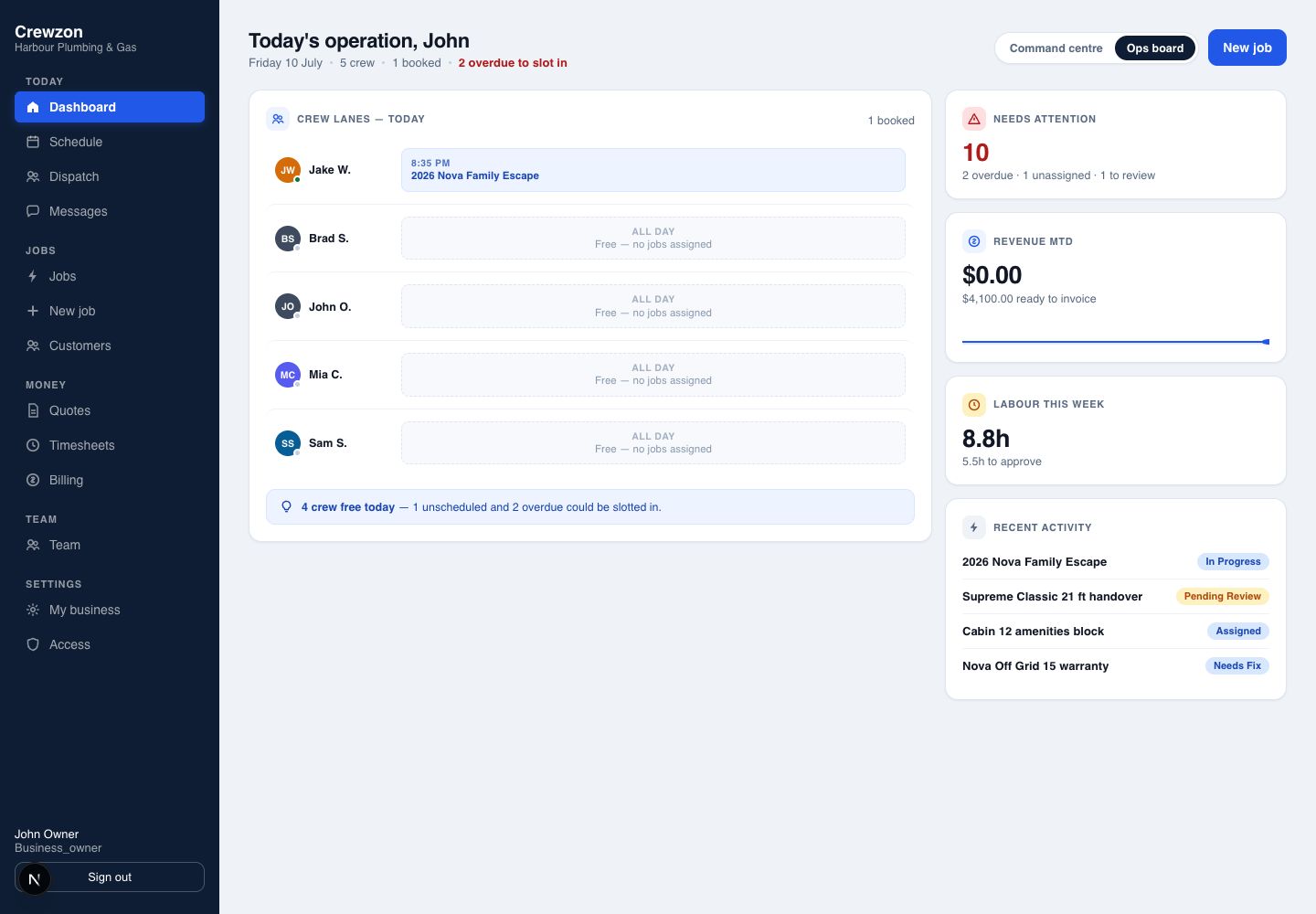
Crewzon office dashboard with work, crew and activity in one view
Your operation at a glance · Example Crewzon workspace
Start with the customer

One enquiry.
One connected history.

Keep the customer, their properties, the quote and the work in one place. Carry the details forward as the job moves, so nobody has to start from scratch.

  1. 01 Capture the enquiry
  2. 02 Prepare the quote
  3. 03 Turn approval into a job

Customer records · Property and asset history · Notes and follow-ups · Import tools

Scheduling · Solo+ / crew dispatch · Team+

Give the office a clear view of the day

See what is booked, who is assigned and which jobs still need attention. Move between the schedule, dispatch board and job record as the day changes.

  • Schedule work against customers, sites and jobs
  • Assign and rebalance jobs across crew members
  • Follow work through progress, review and invoicing
  • Use roles and invitations to give people the right access
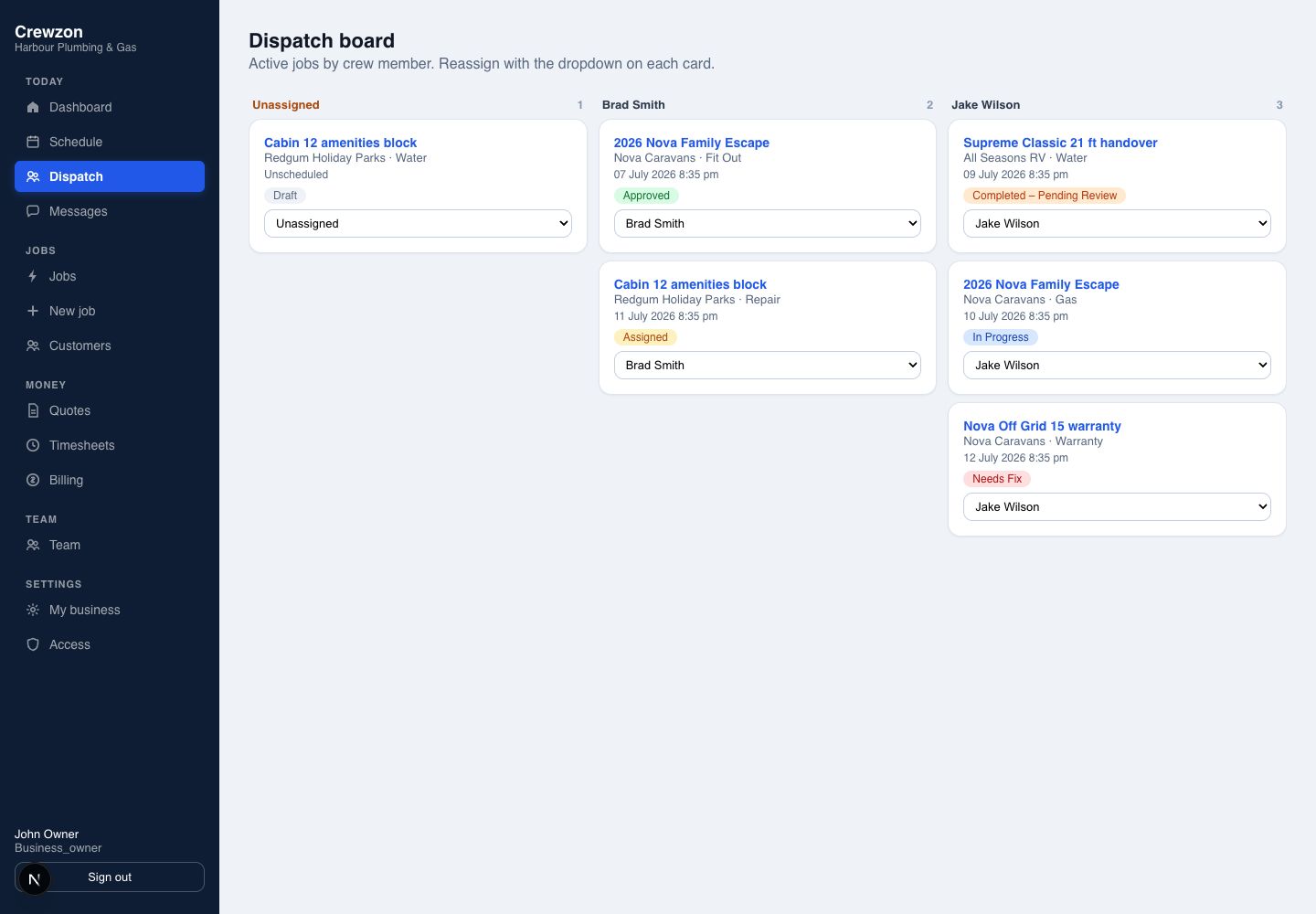
Crewzon dispatch board with jobs grouped by crew member
Spot the unassigned job before it becomes the missed visit. Example workspace.
Field apps and job evidence · Solo and above

Put the job details in the crew’s hands

The iOS and Android field apps bring the day’s jobs, customer details and work record to site. Capture the evidence while the work is happening.

  • Today’s jobs, customer calling and phone-map navigation
  • Trade-specific checklists, job forms and photos
  • Work, travel and break time recording
  • Supported offline actions with visible sync status
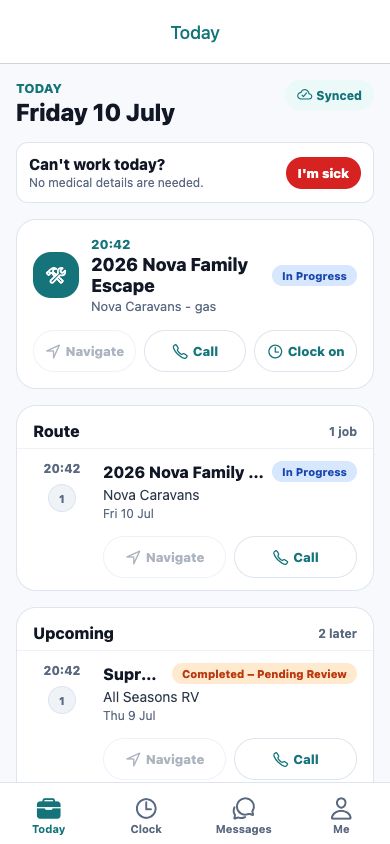
Crewzon field app showing scheduled jobs and customer actions
Give the office the information it needs to review the job. Example workspace.
Invoicing · Solo+ / stock and reporting · Team+

Move completed work into the office review

Bring the job record, hours and materials together for review. Prepare GST invoices and export the records your business needs.

  • Quotes, extra work and GST tax invoices
  • PDF and CSV output for your records
  • Basic stock and materials against jobs
  • Timesheet approval, exports and operational reporting
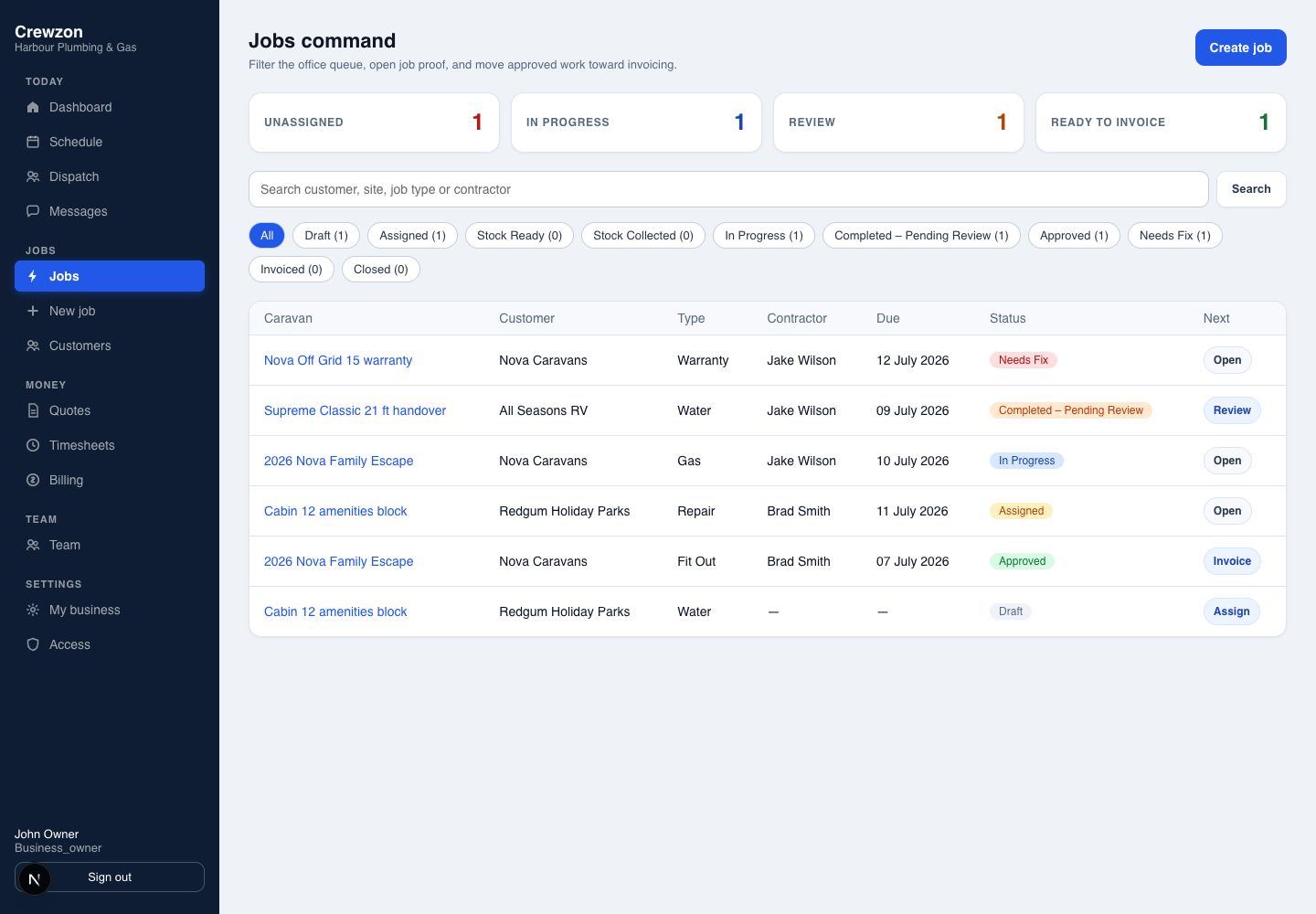
Crewzon job pipeline showing work ready for review and invoicing
Spend less time piecing together what happened on site. Example workspace.
Keep the work moving

The details between the jobs, covered.

Turn repeat work into a manageable schedule

Build a maintenance schedule from a job template and keep the next visits visible. Upcoming visits stay as potential work until you choose to activate them as jobs.

  • Reusable templates for the work that repeats
  • A horizon of one to four upcoming visits
  • Review future work before committing it to the schedule
  • Surface missing prerequisites and visits needing attention

Keep conversations close to the work

Use team conversations, the customer portal and manual customer messages to keep the people involved informed. Each channel has its own purpose.

  • Team conversations for coordination
  • Customer portal access, requests and conversations
  • Manual email and SMS with channel setup
  • Customer history alongside job context

Connect the rest of your working day

Keep accounting, customer updates, payments and the working day connected.

Xero, MYOB and QuickBooks

Connect your accounting package to your job and invoicing workflow. Choose Xero, MYOB or QuickBooks on every plan.

A clearer day in the field

See jobs on the My Day map, order the day’s visits and open navigation in your phone’s maps app.

Timely customer updates

Booking confirmations, reminders and traffic-aware arrival updates by transactional SMS.

Notifications that fit the day

Relevant updates with delivery handling and quiet-hour controls.

Customer payments

Collect invoice payments through Stripe Connect, with payment status alongside the work.

Upcoming features

Next on the roadmap: AI assistance, workflow automation, a public API and business intelligence. Availability and plan access will be confirmed as each feature is released.

Choose the plan for the way you work

Everyday tools on Solo

CRM, scheduling, quotes and invoices, forms and photos, time tracking and the customer portal, plus Xero, MYOB and QuickBooks accounting sync.

Crew operations on Team+

Crew dispatch, basic inventory, payroll exports and operational reporting.

Room for a larger team

Business and Growth include more seats. Contact us to discuss an enterprise plan for your organisation.

Crewzon Features — Customers, Jobs, Crews and Invoices